Analytics & Tracking
Understand how your QR codes perform with detailed analytics. Track scans, locations, devices, and more to optimize your campaigns.
Analytics requires Dynamic QR Codes
Static QR codes cannot be tracked. To access analytics, create Dynamic QR codes which are available on paid plans.
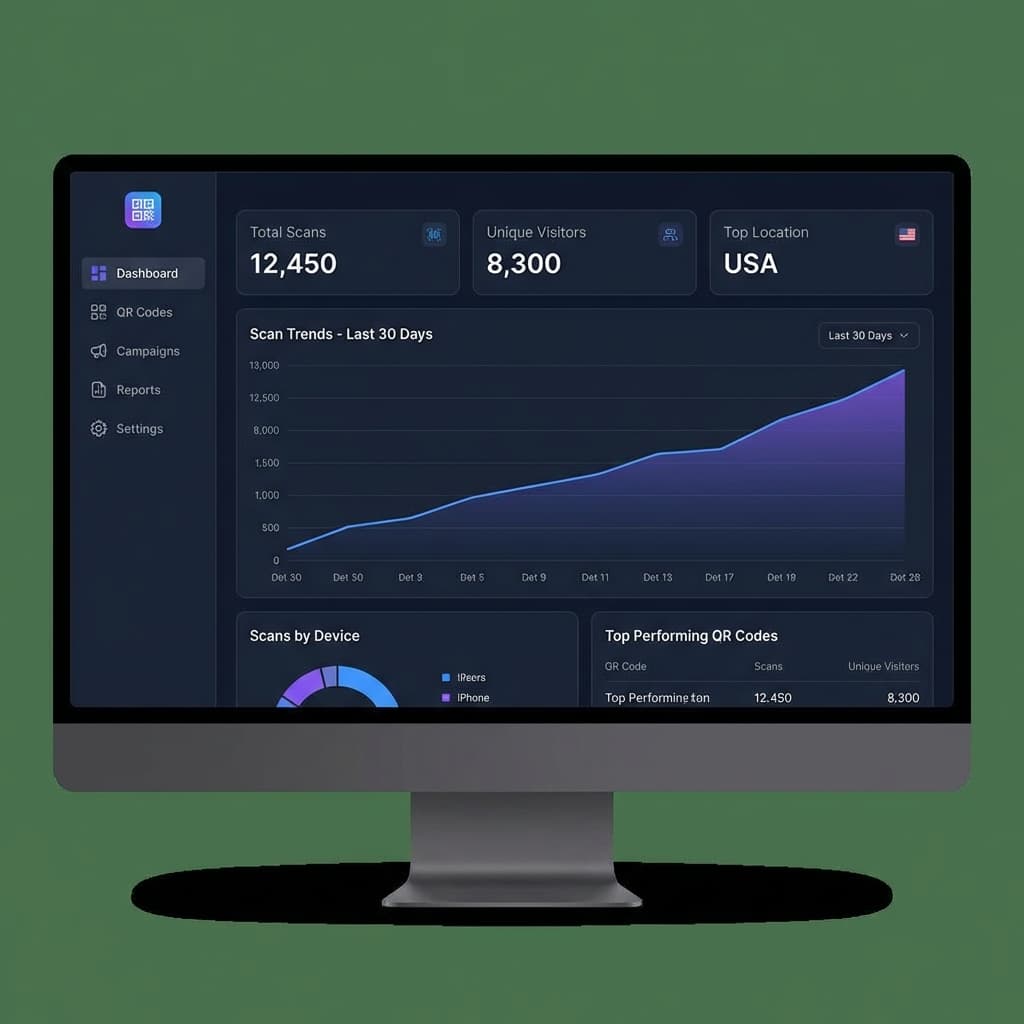
Scan Tracking
See exactly how many times your QR codes are scanned. Track daily, weekly, and monthly trends to understand engagement.
Features:
- Real-time scan counting
- Historical data up to 12 months
- Compare performance across codes
- Export data to CSV
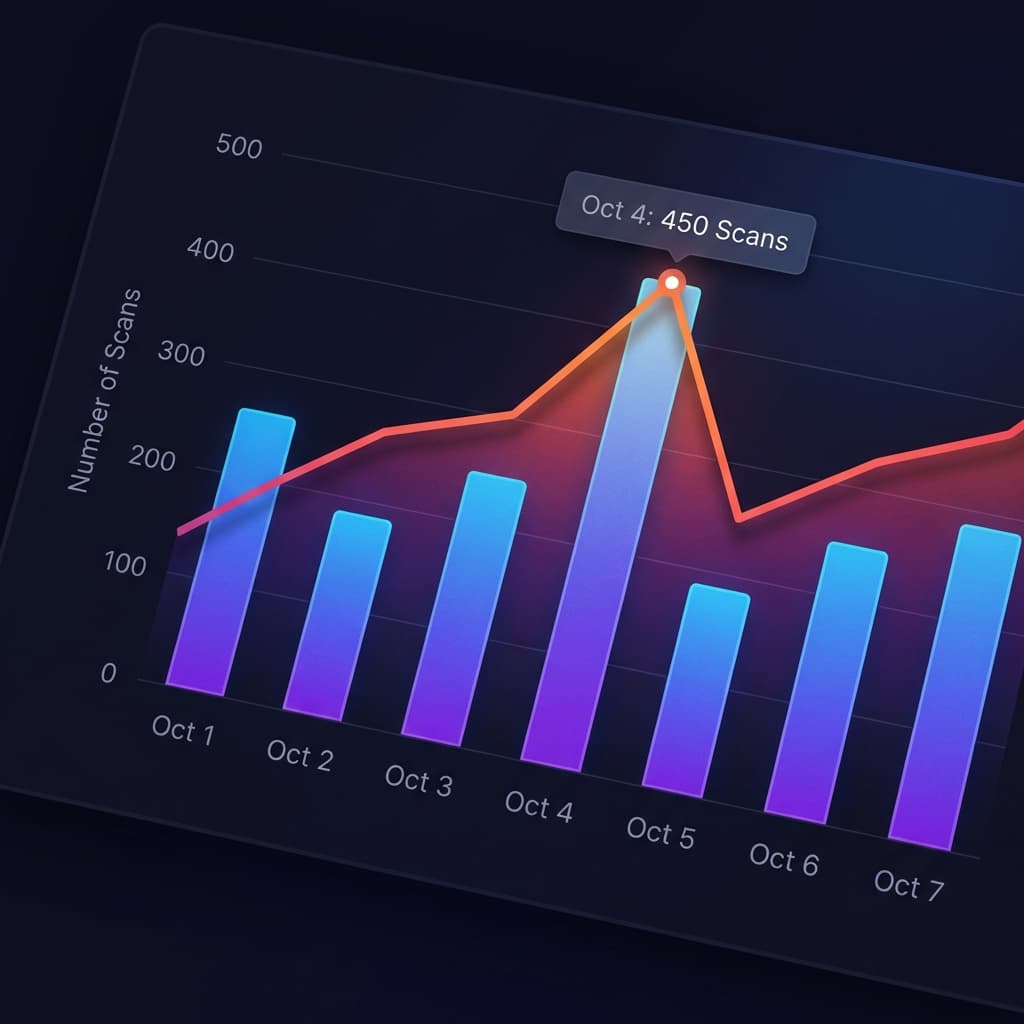
Performance Charts
Visualize your scan data with interactive charts. Identify peak times and track campaign performance over time.
Features:
- Line and bar chart views
- Custom date range selection
- Trend analysis
- Peak time identification
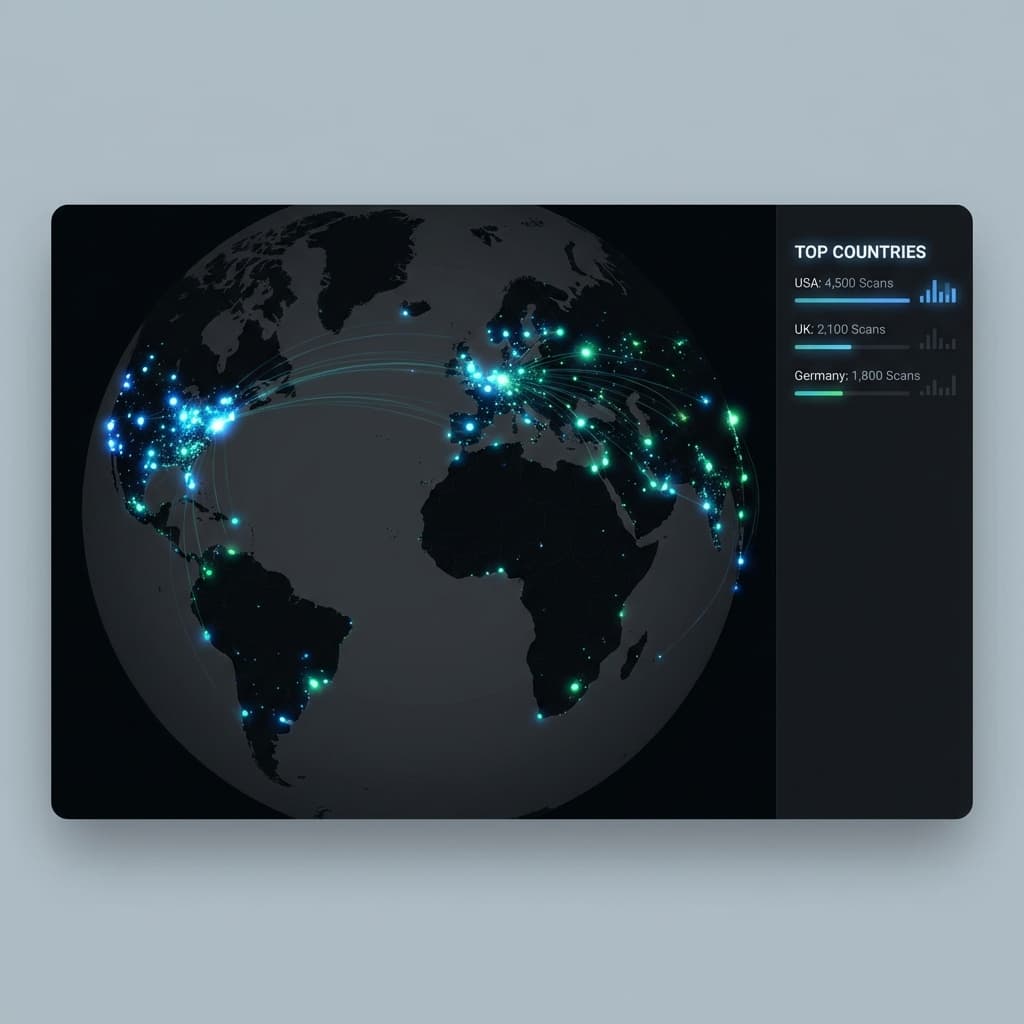
Location Analytics
See where your QR codes are being scanned around the world. Understand your geographic reach.
Features:
- Country and city breakdown
- Interactive map visualization
- Regional performance comparison
- Geo-targeting insights
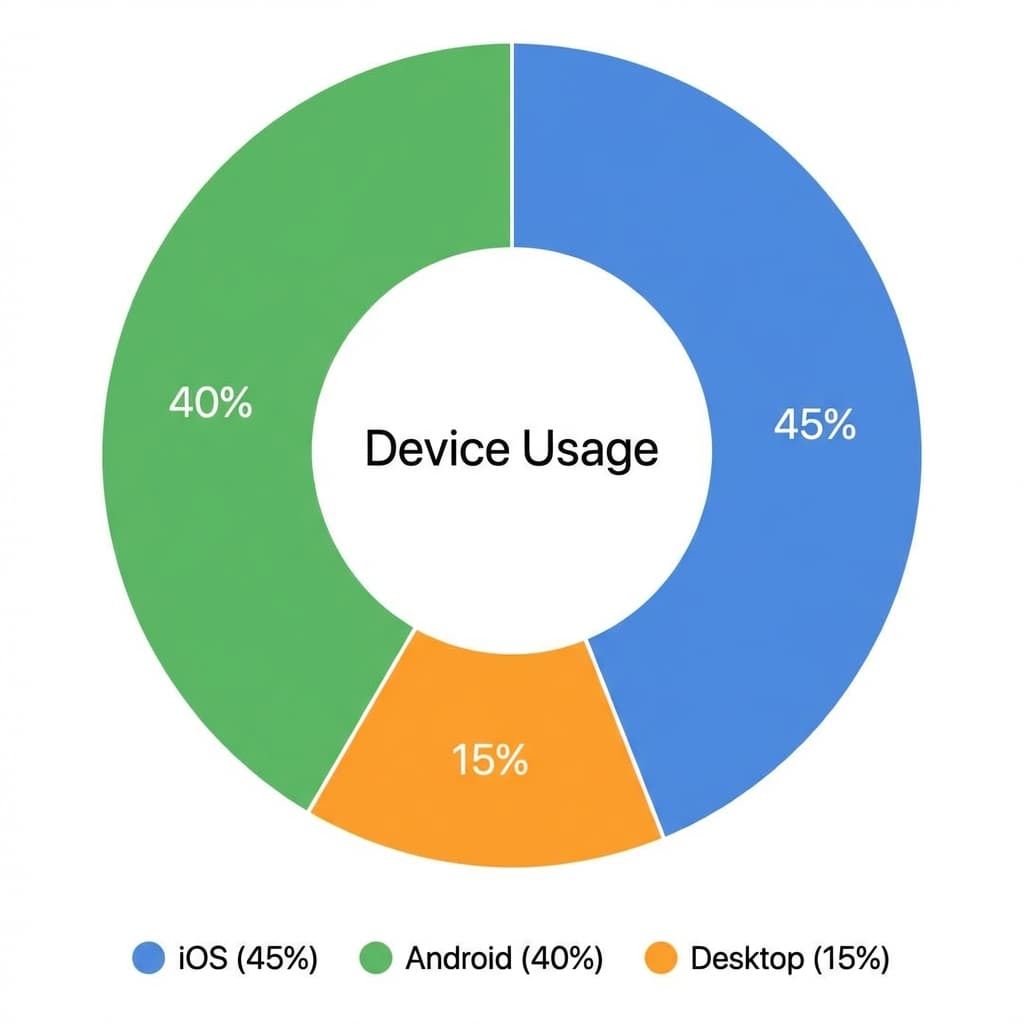
Device & Browser Data
Know what devices and browsers your audience uses. Optimize your landing pages accordingly.
Features:
- iOS vs Android breakdown
- Browser statistics
- Operating system data
- Mobile vs desktop ratio
How to Access Analytics
Go to Dashboard
Sign in and navigate to your dashboard where all your QR codes are listed.
Select a QR Code
Click on any dynamic QR code to view its detailed analytics page.
Explore Data
View charts, maps, and detailed breakdowns. Export data as needed.
Start Tracking Your QR Codes
Upgrade to a paid plan to access full analytics features.